Spot
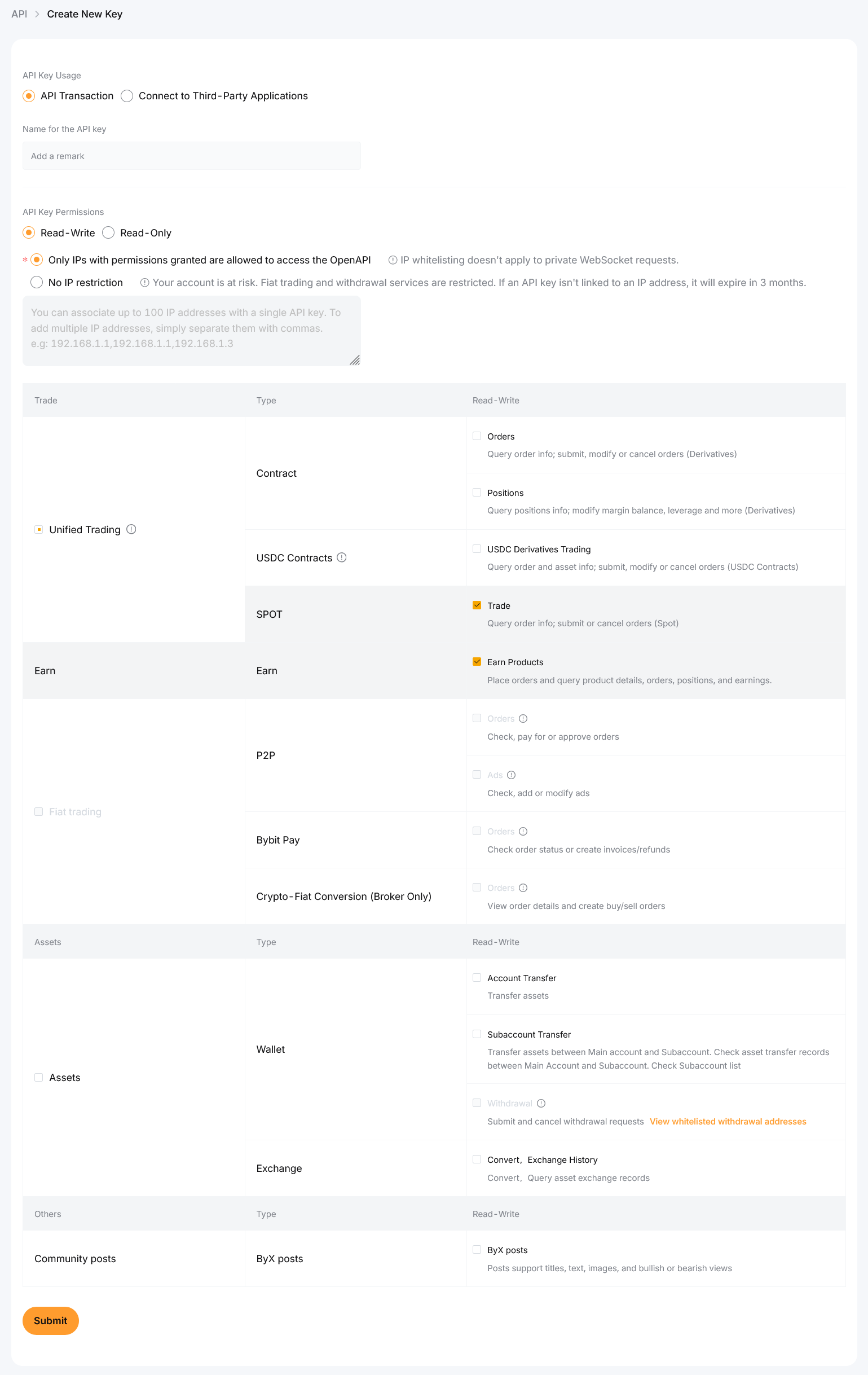
Allow reading the account and placing Spot orders.
Exchange connection guide
Permission names can change in the exchange interface. Verify their meaning before saving the key.
Register with Bybit before creating an API key for this connection.
Register with BybitCheck the domain and TLS certificate. Do not follow API setup links from unsolicited messages.
Use two-factor authentication and the exchange anti-phishing features before creating API credentials.
Do not reuse a key shared with another service. A separate key can be revoked without affecting other integrations.
These permissions are needed to read balances, inspect orders and trade the selected pairs.
This permission is optional. BUY uses only the available Spot balance. For SELL, the service can request redemption from a supported flexible Earn product when the required asset is missing from Spot.
Redemption depends on the exchange, asset, product and API permissions. If it is unavailable or delayed, the lot stays open and you receive an alert to return the asset to Spot yourself.
Do not continue until withdrawal permissions are off.
Use this IP when the exchange offers an IP restriction for API keys: 185.250.181.217.
The connection form verifies the key directly with the selected exchange before storing it.
Exchange labels can change. If a setting is unclear, do not grant it until it is confirmed by the exchange documentation or support.